
In this complete walkthrough, I’ll explain How To Use Promo Codes in Roblox, including sites, mistakes to avoid, and best strategies. Learning this completely changed how I customize my avatar. I used to waste Robux on random accessories, not realizing Roblox gives away tons of free items through official promo codes. Once I figured it out, I started collecting exclusive gear and bundles without spending a single Robux.
The problem is that promo codes in Roblox work differently from those in individual games. Many players are unaware of their existence; they are much less numerous, and they expire very rapidly. However, you can gain access to exclusive things that set your avatar apart from the others after you learn how to use promo codes efficiently.
Plus, understanding the promo code system helps you avoid those “free Robux” scams that promise the world but deliver nothing. Real promo codes give you actual items – not currency, and they come directly from Roblox or official partners.
What Are Roblox Promo Codes?
Roblox promo codes grant your character free cosmetics. They are not like game codes, which are entered within a particular Roblox game – promo codes are for the entire platform and apply content directly to the inventory of your account.
I had to learn this concept the hard way because I spent a lot of time trying to use promo codes inside games and wondering why they weren’t functioning. Promo codes are usually used to unlock cosmetic sets, such headgear, equipment, or even whole avatar bundles, in place of in-game cash.
These codes typically relate to partnerships, special Roblox events, or real-life events. For instance, Roblox frequently offers discount codes as part of their marketing efforts when they collaborate with films, TV series, or other companies.
Here’s the thing, promo codes don’t provide free Robux at all. If a person offers it, it’s a scam. If a person says they own a promo code for free Robux, it’s a hoax for sure. Promo codes just give cosmetic things and accessories.
- If you want to spend Robux smartly, here’s a full guide on how to use Robux wisely
How to Use Promo Codes in Roblox
Learning How To Use Promo Codes in Roblox is actually pretty easy. Here’s exactly what I do to redeem a code:
Desktop Website Method
- Open your web browser and go to roblox.com
- Log into your account (this is crucial – you must be signed in)
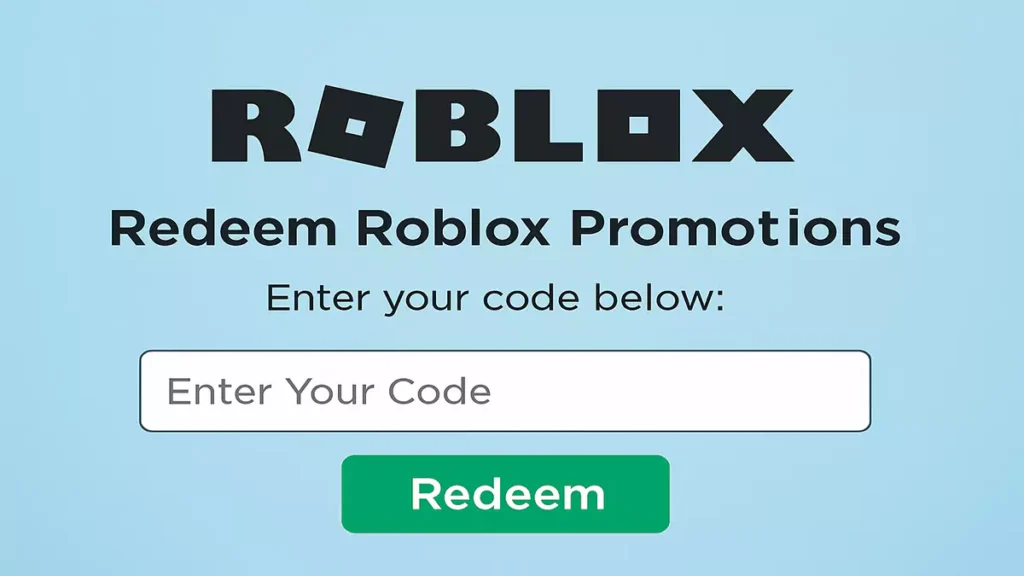
- Navigate to the redemption page by going to roblox.com/promocodes
- Enter the promo code exactly as it appears (case-sensitive!)
- Click the “Redeem” button to claim your reward
- Check your inventory to see your new items
This method works best because the official redemption page is designed specifically for promo codes.
Alternative Navigation Method
If you can’t remember the direct URL:
- Go to roblox.com and log in
- Scroll to the bottom of any page
- Look for “Redeem Robux Cards” in the footer
- Click that link – it takes you to the same redemption page
- Enter your promo code and redeem normally
Mobile App Limitations
The Roblox mobile app does not directly incorporate a promo code redemption process. But no worries! If you are on a mobile phone and you need to redeem codes via mobile, simply follow my steps:
- Open your mobile browser
- Go to roblox.com/promocodes
- Log into your account through the browser
- Redeem codes using the same method as on the desktop
- Switch back to the app to see your new items
This browser method works perfectly fine, just takes an extra step compared to the app.
Types of Promo Code Rewards
Avatar Bundles
The best promo codes give you complete avatar bundles with multiple items:
- Clothing sets
- Accessories
- Animation packages (rare but amazing when available)
Individual Accessories
Almost all promo codes give just one accessory like:
- Shoulder pets – Small creatures that sit on your avatar
- Hats and headwear – Exclusive designs not available in catalog
- Backpacks and gear – Functional or decorative items
- Special effects – Items with unique visual elements
Event-Specific Items
Limited-time codes often celebrate:
- Movie partnerships – Items themed around blockbuster films
- Holiday events – Seasonal accessories and clothing
- Roblox milestones – Commemorative items for platform achievements
- Creator collaborations – Items designed by popular developers
Additionally, event items become highly valuable over time since they can’t be obtained once codes expire.
Game-Specific Promo Codes
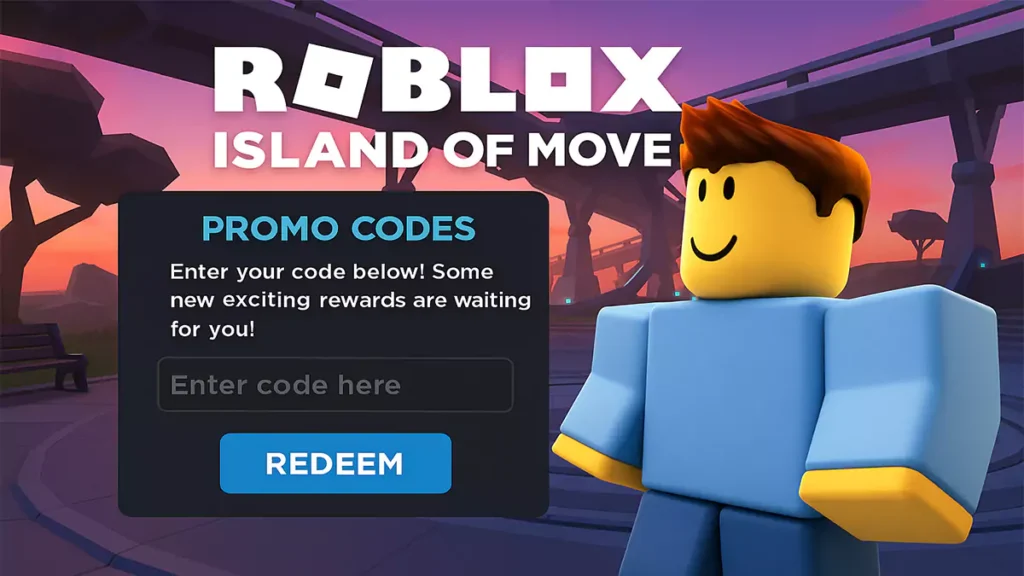
Some promo codes only work within specific Roblox experiences, not on the main website. These require different redemption methods.
Island of Move Codes
For Island of Move promo codes:
- Launch the Island of Move experience
- Find the green mini-golem NPC in the game
- Press E to interact with it
- Click “Redeem Code” in the interface
- Enter your code and confirm
Mansion of Wonder Codes
For Mansion of Wonder codes:
- Open the Mansion of Wonder game
- Locate the fox character in the center area
- Press E to access the “Get Swag” menu
- Select “Redeem Code” option
- Input your code and click the orange checkmark
Read How To Join a Private Server in Roblox.
Troubleshooting Common Issues
Even when you know How To Use Promo Codes in Roblox correctly, you can run into an issue. Here are fixes for the most common problems:
“Invalid Code” Errors
This usually means:
- The code expired – Unfortunately, there’s no fix for this
- You typed it wrong – Double-check spelling and capitalization
- You already used it – Each code works once per account
- It’s region-locked – Some codes only work in certain countries
Codes Not Appearing in Inventory
Sometimes codes redeem successfully but items don’t show up:
- Check different inventory categories – Items might be in unexpected sections
- Refresh your inventory – Log out and back in
- Wait a few minutes – Server delays can cause temporary issues
- Verify the redemption – Make sure you saw the success message
Wrong Account Issues
If you redeemed on the wrong account:
- You can’t transfer items between accounts
- The code is now used up – Can’t redeem again
- Contact support only if it was a technical error on Roblox’s end
Therefore, always double-check you’re logged into the correct account before redeeming valuable codes.
Avoiding Promo Code Scams
Popular promo codes are favorite targets of spammers. And If you’re not familiar with how to apply promo codes in Roblox, it’s even easy to fall a victim of spamming. Here’s how to shield yourself:
Red Flags to Watch For
Never trust sources that:
- Promise free Robux through promo codes
- Ask for your password or account details
- Require downloading software or apps
- Want you to complete surveys or tasks
- Claim to have “secret” or “unlimited” codes
Safe Practices
Follow these rules to stay secure:
- Only use official redemption pages (roblox.com/promocodes)
- Never enter account info on third-party sites
- Verify codes through multiple trusted sources
- Ignore “too good to be true” offers
- Report suspicious code generators or websites
Also, keep in mind that valid promo codes are never paid codes. The codes are never going to ask for personal information other than your Roblox login. Report it directly to Roblox if you encounter scams.
Want more tips like this? Visit our Roblox How-To Tutorials page.
Promo Code Strategy
Once you understand how to use promo codes in Roblox, these advanced strategies help you get the most value:
Timing Your Redemptions
- Redeem immediately when you find working codes
- Set up notifications for Roblox’s social media accounts
- Check during major events – E3, holidays, movie releases
- Monitor partner announcements – Brand collaborations often include codes
By following these steps, you’ll always know how to use promo codes in Roblox safely and efficiently.
Code Sharing Etiquette
When you find working codes:
- Share with friends – Codes work for multiple people
- Post in appropriate communities – Help other players benefit
- Verify before sharing – Don’t spread expired or fake codes
- Give credit to original sources when possible
Building Your Collection
Smart collectors:
- Keep track of redeemed codes to avoid duplicates
- Screenshot rare items – Some become highly sought after
- Trade wisely if you have Premium and items become Limited
- Document your collection – Know what you own
Likewise, some of your promo code products turn into profitable trading items.onDestroy of pure enjoyment, not by way of potential for money-making investment. Save this page so you never forget How To Use Promo Codes in Roblox properly. Be sure to follow the Roblox Blog for future events, new code releases, etc.